For many Aussie businesses, the silent profit killer isn’t necessarily a bad marketing strategy, but a poorly optimised website that sabotages every click you pay for.
Think of your website as your business’s supermarket. You’re spending thousands on advertising to get people to walk through the doors. But if those doors are slow to open, the aisles are confusing, the checkout is broken, and the single member of staff only ever answers your questions with questions, then you’re paying for foot traffic that will never convert into a sale.
You need a commercially-focused WordPress optimisation strategy. It’s the essential framework for fine-tuning the platform you’re sending customers to; a platform that will protect your investment, capture leads, and deliver a tangible return.
Why WordPress Website Management Matters for Your Bottom Line
If your website is slow to load, unstable, or difficult to use, you are losing money. It’s a daily operational drag on your revenue pipeline. A poorly managed site actively works against your growth. Here’s what that damage looks like:
- Invalidates Your Marketing Spend: Driving paid traffic to a slow or broken site is like paying for a billboard and then covering it up with a tarp. The investment is wasted the moment a potential customer gives up and clicks away.
- Erodes Brand Credibility: A security warning, a broken form, or a page that takes five seconds to load plants a seed of doubt about your business as a whole.
- Makes You Invisible: Google rewards websites that provide a fast, seamless user experience. A neglected site slowly sinks in the rankings until your customers can no longer find you.
- Skews Your Marketing Data: A slow site can lead to inaccurate analytics, misattributed conversions, and a distorted picture of campaign performance, making it impossible to make smart decisions.
The Core Pillars of WordPress Optimisation
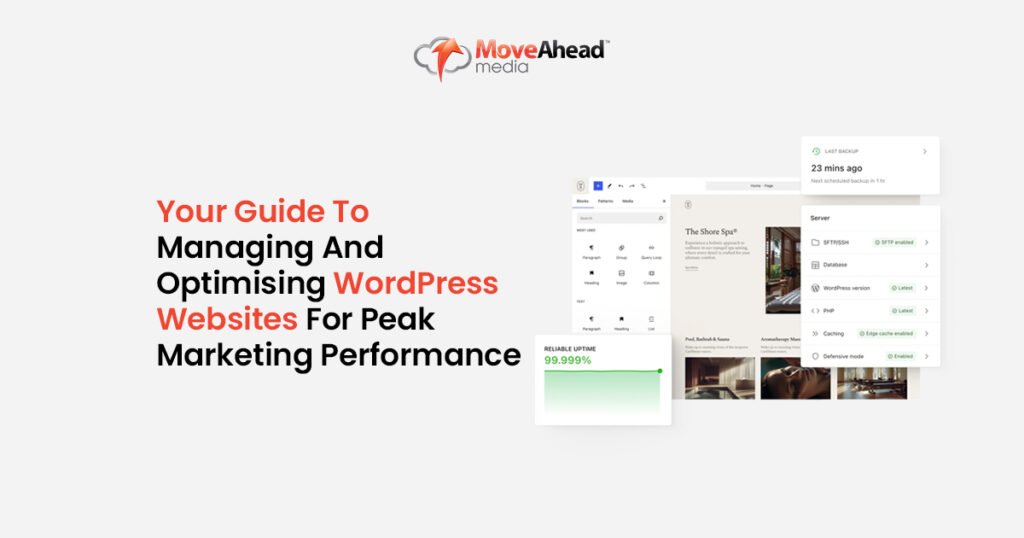
To optimise your WordPress site for commercial success, you need to focus on the interconnected pillars that drive performance. Each one has a direct impact on your ability to attract and convert customers…
Technical Optimisation: Speed, Hosting, and Core Web Vitals
This is the internal engine of your website. When it’s slow, everything else slows down with it.
Does your website seem to crawl during a major sales promotion? That’s often the result of cheap, shared hosting that can’t handle a surge in traffic. You shouldn’t be refreshing your own homepage and hoping for the best during business hours.
Key technical actions to combat this include:
- Blazing-Fast Speed: Using advanced caching and image compression to make sure your webpages load in under two seconds.
- Robust Hosting: Investing in quality hosting is a non-negotiable. It’s the foundation of your site’s stability and security.
- Core Web Vitals: Meeting Google’s user experience standards is a direct signal that tells the search engine your site is high-quality and deserves to be seen.
SEO Optimisation: Structure, Metadata, and Indexability
A brilliant website is useless if no one can find it. This is where WordPress SEO optimisation turns your content into a magnet for qualified traffic.
Every time your site shows up in search results is an opportunity for a sale. But weak page titles and vague descriptions waste that impression. You need to give users a compelling reason to click on your link over a competitor’s:
- Compelling Metadata: Crafting page titles and descriptions that act as mini-adverts in Google’s search results.
- Logical Site Structure: Organising your site with clear navigation and internal links to guide both users and search engines to your most important pages.
- Schema Markup: Adding specific code that helps Google understand your content’s context, which can result in richer, more eye-catching search listings.
Content Management: Readability, Updates, and Engagement
Your content is what answers your customers’ questions and persuades them to act. But stale, irrelevant content can actively harm your marketing.
Outdated information on a service page can confuse customers and kill a potential sale.
A blog post from five years ago with incorrect advice can damage your authority and even lower the Quality Score on your paid campaigns, thus driving up costs:
- Perform regular content audits to prune or update old, low-performing pages.
- Make sure your content is highly readable with clear headings, short paragraphs, and bullet points.
- Align your content strategy with your commercial campaigns to create a seamless customer journey.
Security and Maintenance: Protecting Your Investment
What if your website gets hacked? Your paid campaigns are immediately paused and your site is blacklisted by Google, leading to costly emergency repairs and untold reputational damage. This is a genuine risk for unprotected sites. Consistent WordPress website maintenance is your insurance against this.
- Run weekly WordPress updates for the core, themes, and plugins to patch vulnerabilities.
- Implement a Web Application Firewall (WAF) to block malicious traffic before it reaches your site.
- Schedule automated, off-site backups so you can restore a clean version instantly if the worst happens.
Conversion Optimisation: Turning Clicks into Customers
This is where performance turns into profit. All the traffic in the world means nothing if it doesn’t convert. Website conversion optimisation is the process of methodically improving your WordPress website to generate more leads from the visitors you already have.
One of our clients increased their form submissions by 30% simply by removing two unnecessary fields. Small changes, guided by data, deliver significant commercial returns. It starts with making it practically effortless for website visitors to say yes:
- Place a clear, compelling Call-to-Action (CTA) above the fold on every key landing page.
- Simplify your forms. Only ask for the information you absolutely need to start a conversation.
- Optimise the user journey and make sure your website navigation is intuitive and frictionless, especially on mobile devices. Our dedicated UX/UI Solutions focus on building these seamless experiences.
A Practical WordPress Performance Checklist
Here is a simplified checklist to help stay on top of the essentials:
Weekly:
- Check for and install updates (Dashboard > Updates).
- Run a full site backup.
- Clear spam comments.
Monthly:
- Review site speed (Google PageSpeed Insights).
- Check for broken links.
- Review core metrics (Google Analytics & Search Console).
Quarterly:
- Test all contact forms and checkout processes.
- Change admin-level passwords.
- Perform a quick content review for outdated information.
For many businesses, a comprehensive Website Maintenance Package is the most efficient way to make sure these tasks are handled consistently and professionally.
Essential Tools for Diagnosing Performance
Let’s look at some key diagnostic tools that show you where your marketing funnel is leaking money:
- Google Search Console: Reveals exactly how Google sees your site, highlighting errors that could be costing you rankings.
- Google Analytics 4 (GA4): Shows you how users behave on your site, helping you identify pages where potential customers are dropping off.
- Rank Math or Yoast SEO: The command centres for your on-page SEO efforts.
- WP Rocket: A powerful tool for fixing the speed issues that kill conversions.
When to Seek Professional WordPress Support
Your focus should be on running your business, not troubleshooting plugin conflicts. It’s time to seek professional support when:
- You’re too busy with core business functions to handle maintenance consistently.
- You’re facing technical problems you don’t have the expertise to solve.
- You’re investing in marketing but not seeing the lead growth you expect.
- Your business is growing, and you need a site that can scale with you.
At Move Ahead Media, our Website Design, Development & Management Services are for owners who recognise their website as a critical growth asset. We handle the technical complexities so you can focus on what you do best.
If you want a sharper, faster website that supports real marketing growth, we’re ready when you are. Let’s start the conversation.

Frequently Asked Questions (FAQs)
How often should I update and maintain my WordPress website?
Critical plugin and theme updates should be checked weekly inside your WP Dashboard. A broader performance and SEO review is best done monthly. Consistency is the key to preventing major issues.
What are the key elements of WordPress optimisation?
The most important elements are speed, security, on-page SEO, and conversion-focused design. All four work together to improve your WordPress marketing performance and generate more leads.
How can I improve my WordPress site speed for better SEO performance?
The quickest wins are compressing your image files before uploading, installing a high-quality caching plugin like WP Rocket, and making sure you’re on a reliable Australian web host.
Which plugins are best for WordPress marketing performance?
A lean setup is best. Start with an SEO plugin (Rank Math), a caching plugin (WP Rocket), and a security plugin (Wordfence). Only add plugins that solve a specific, essential business problem.
When should I hire a professional to manage my WordPress site?
Hire a professional when the time spent on DIY maintenance or the cost of underperformance becomes greater than the investment in an expert team. If your site isn’t actively contributing to your bottom line, it’s time for a change.